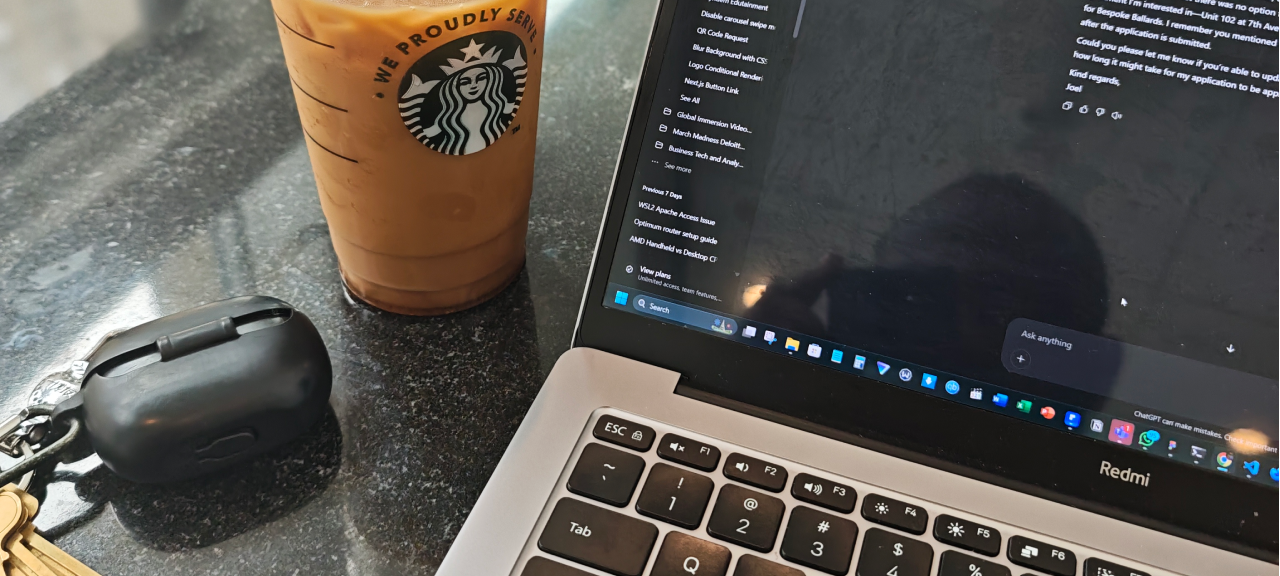


Long-Term Review of the Redmibook Pro 14 (2022 AMD Edition)
When Xiaomi announced the 2022 RedmiBook Pro 14 lineup, I did what every spec-obsessed developer does: I read the reviews, compared the benchmarks, and quietly added it to my "maybe someday" list. Aircraft-grade aluminum, AMD Ryzen 6000-series power, LPDDR5 memory, and a high-refresh display in a chassis that wouldn't break my back or my wallet. It checked a lot of boxes.
"Someday" turned out to be 2023. I bought the RedmiBook Pro 14 (2022 AMD Edition) through a third-party seller, and since then, it has been my primary machine for software development. We're now three years in, and this laptop has lived through compiling large codebases, running multiple local dev environments, a complete operating system swap, a 2TB SSD upgrade, more airport lounges and coffee shops than I can count, and more than a few rough backpack rides. The question isn't whether it was good on paper. The question is: how does it actually hold up when you beat on it for three years straight? Spoiler alert: better than I expected.
Build Quality: This Thing Is Built Like a Tank
Let me be honest about something. I am not a careful laptop owner. I don't baby my machines. This thing has been tossed into backpacks, slid across tables, used in dusty environments, and carried around almost daily for three years. It has not had an easy life. And yet, the CNC-machined aluminum chassis still feels solid. There is virtually zero keyboard flex, the hinge hasn't loosened or started wobbling, and the lid still closes with the same satisfying thunk it had on day one. The only signs of wear are minor cosmetic scratches, which are honestly impressive given how rough I am with it. For a laptop in this price range, the build quality punches well above its weight. It doesn't feel like a cheap machine that got lucky with good specs. It feels like something designed to last.
Performance: It Actually Handles Real Dev Work
The RedmiBook Pro 14 AMD Edition comes with an AMD Ryzen 7 6800H CPU with Radeon 680M integrated graphics, 16GB of LPDDR5 RAM at 6400 MHz, and a 2.5K 14", 120Hz display. Those specs sounded great in 2022. In 2026, after three years of actual use, I can confirm they translate into real performance gains. My typical workload is not gentle. I run Docker containers, local databases, multiple IDE windows, browser tabs into the triple digits, Slack, YouTube Music, an ungodly number of terminals, and, more often than not, occasional video calls, all at the same time. The laptop handles it. It doesn't stutter, it doesn't choke, and it rarely forces me to close things just to free up resources.
Compiling code, running local dev servers, and juggling heavy browser sessions are all comfortable tasks. The dual-fan and heat-pipe setup keeps thermals under control. During sustained loads, it gets warm, and the fans get audible, but I haven't noticed meaningful thermal throttling that ruins my workflow. For a thin-and-light laptop, that is a genuine win.
The Real Upgrade Wasn't Hardware: Ditching Windows for Pop!_OS
Here is the part of the story where I have to be brutally honest. The hardware was excellent from the beginning. The out-of-the-box software experience was decent. However, over time, Windows on this machine felt slow, bloated, and was constantly in the way. Background updates would fire at the worst moments, system resources would disappear into mysterious processes, and the overall experience just felt sluggish for a machine with this much power under the hood. It was frustrating because the laptop itself was clearly capable of more.
So I wiped Windows and installed Pop!_OS with the Cosmic Desktop Environment. It changed everything. On Linux, the RedmiBook Pro 14 feels snappy and responsive. The Ryzen chip gets to do its job without unnecessary background nonsense, the dev environment is native and comfortable, and hardware integration has been surprisingly smooth. Fingerprint reader, display scaling, trackpad gestures, sleep and wake, and even the function keys all work well. For a developer, this is the experience the machine always deserved. If you are considering this laptop and you do any kind of development, my honest advice is to plan your Windows exit strategy. The hardware is too good to be held back by a sluggish operating system.
Upgrades and Maintenance: Easier Than It Should Be
Thin laptops usually sacrifice repairability for portability. The RedmiBook Pro 14 does make one common compromise: the RAM is soldered to the motherboard. You cannot upgrade it. That is the main thing you need to get right at the time of purchase, because you will be stuck with whatever amount you choose. But outside of the RAM, the rest of the machine is refreshingly easy to work on. When my original SSD started running out of space, I opened the bottom panel and swapped it for a 2TB Crucial PCIe SSD. The process was straightforward. No proprietary screws, no weird adhesive, no unnecessarily complicated disassembly. Just a few screws, a clean internal layout, and a standard M.2 slot.
After three years of daily charging cycles, the battery is finally shot. That is normal for a heavily used laptop. I am currently sourcing a replacement battery on AliExpress, and because the machine is easy to open, I plan to do the swap myself. The fact that a three-year-old, thin laptop is still worth opening up and repairing rather than replacing is a huge point in its favor.
Daily Driving: Ports, Screen, and the Little Things
The port situation on this machine is actually more practical than I first thought. You get one USB 3.2 Gen 2 Type-C port that handles power, display output, and data, a second regular USB 3.2 Gen 2 Type-C port, a USB-A 3.2 Gen 1 port, HDMI 2.0, and a headphone jack. That is a pretty solid spread for a thin-and-light laptop, and it covers most daily needs without forcing you to live entirely inside dongle life. That said, I do wish it had USB4 out of the box. For a machine that otherwise punches above its weight, a faster, more versatile Type-C port would have made it even more future-proof. To keep my desk setup clean, I run everything through a USB-C hub, which handles the external monitor, keyboard, mouse, and charging with a single cable. It works fine, but native USB4 would have been a nice bonus.
The display has been one of the unsung heroes of this laptop. It is a 14-inch IPS panel with 2560 x 1600 resolution, a 16:10 aspect ratio, 216 PPI, and an 87.73% screen-to-body ratio thanks to 4.3mm narrow bezels. Viewing angles are excellent at 178 degrees, and it still looks crisp and easy on the eyes during long coding sessions. On the color side, it covers 100% sRGB with a Delta E below 1.5, 300 nits of typical brightness, and a 1000:1 contrast ratio. It supports DC dimming, has TÜV Rheinland low-blue-light certification, and even offers software-level blue-light filtering through the Xiaomi PC assistant. The refresh rate can be toggled between 60Hz, 90Hz, and 120Hz with an Fn+S shortcut, which is a nice touch. I usually leave it at 120Hz. Scrolling through code, browsing documentation, and shuffling windows all feel buttery smooth, and it genuinely makes the machine feel more premium than the price tag suggests.
Final Verdict: Still Worth It?
Three years of heavy daily use, one operating system transplant, one SSD upgrade, one upcoming battery replacement, and a lot of careless handling later, the RedmiBook Pro 14 (2022 AMD Edition) is still my primary development machine. I have no plans to retire it, at least not yet. If you are trying to track one down or considering a newer RedmiBook model, the formula is still the same: great build quality, strong CPU performance, whether you're team red (AMD) or team blue (Intel), and a machine that rewards you when you install the right operating system.
Pros
- Durable metal chassis that survives real abuse
- Easy to open for SSD and battery replacements
- Excellent performance for development and multitasking
- Decent Linux support, especially on Pop!_OS
Cons
- Soldered RAM with no upgrade path
- Battery degradation after three years of heavy use
This laptop has proven that Xiaomi and Redmi know how to build high-value hardware that lasts. It has survived three years of punishment, a full OS migration, and significant wear on storage and battery. With a simple battery swap, it is ready for several more years of service. If you can find one at a reasonable price, or if the newer iteration keeps the same formula, the answer is yes. It is still worth it.


Comments
No comments yet. Be the first to share your thoughts.